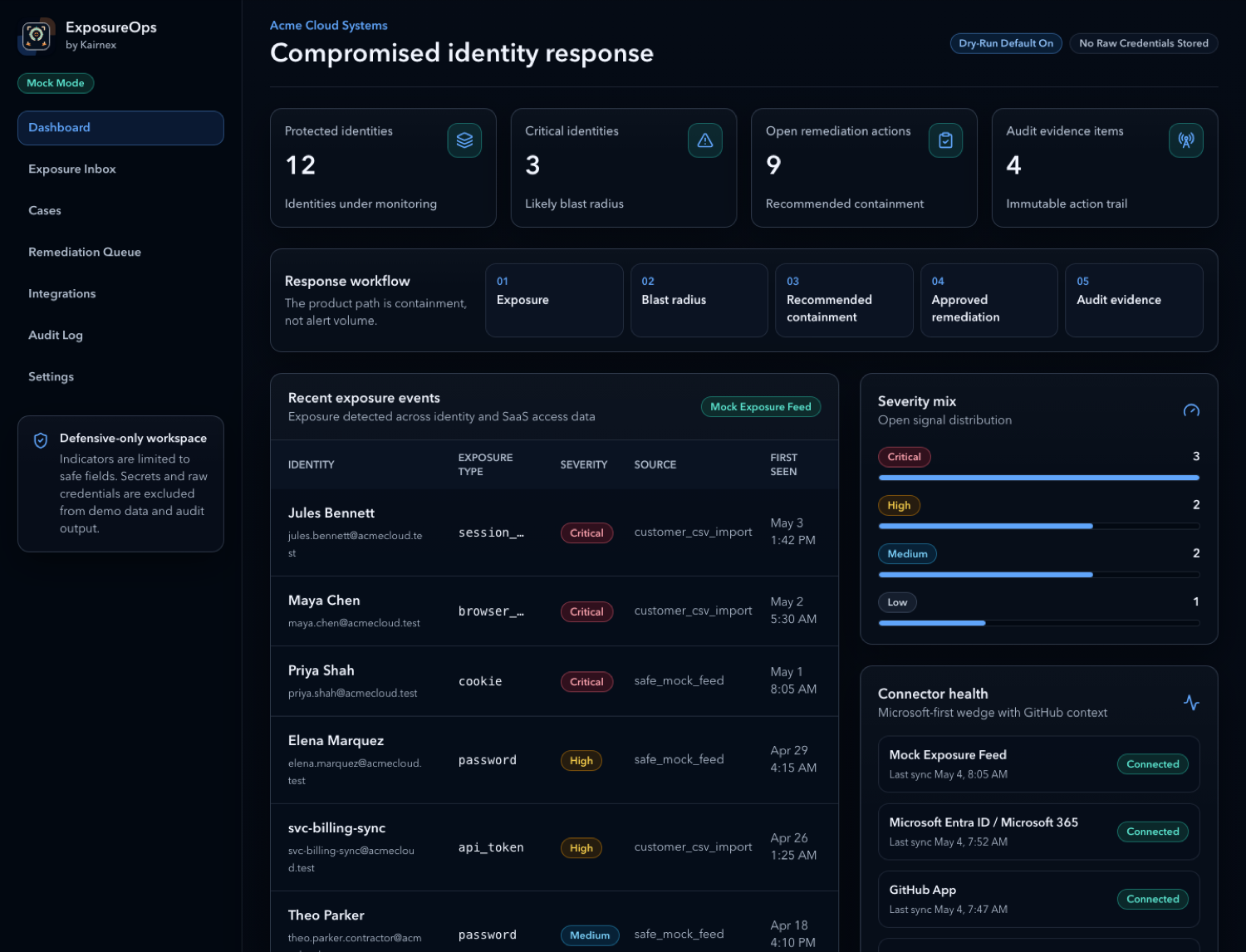
Dashboard
Protected identities, critical identities, open remediation actions, audit evidence, response events, and connector health.
 Kairnex Solutions
Private source pilot
ExposureOps
ExposureOps connects a safe exposure indicator to the affected identity, active access, recommended containment steps, required approvals, and the evidence created during response.
Connector and containment access is enabled only for approved private pilots. Response actions begin as a dry run and require explicit approval before execution.
Response workflow
ExposureOps is not another alert dashboard that only says a credential was exposed. It helps your team understand who is affected, what access is at risk, what containment comes first, which actions need approval, and what evidence is retained.
See the product
ExposureOps shows dashboard health, exposure triage, safe CSV import, case detail, containment actions, connector health, and retained audit evidence.
Protected identities, critical identities, open remediation actions, audit evidence, response events, and connector health.
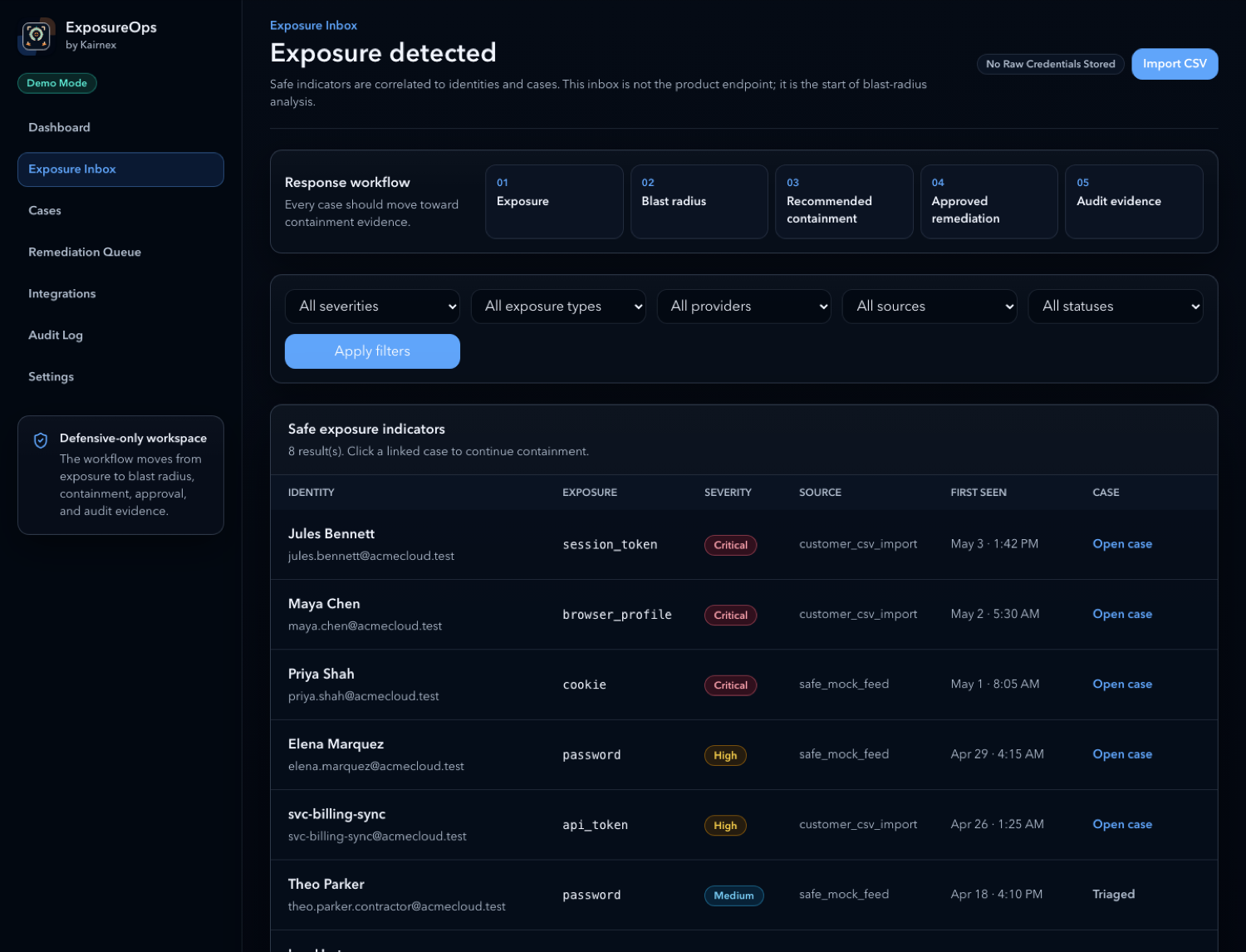
Triage exposed identity signals and decide what needs response work.
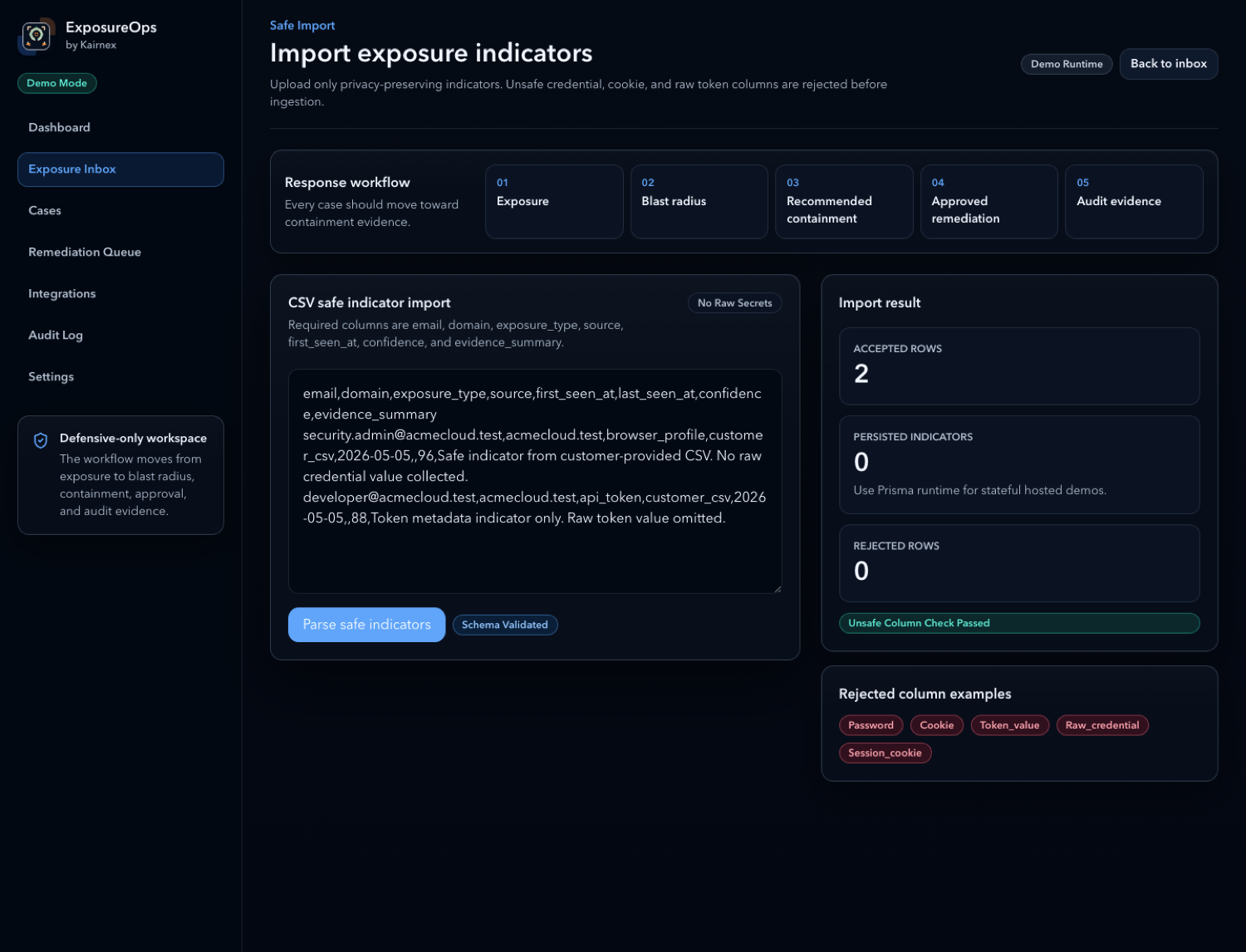
Import safe indicators while rejecting password, token, and raw credential fields.
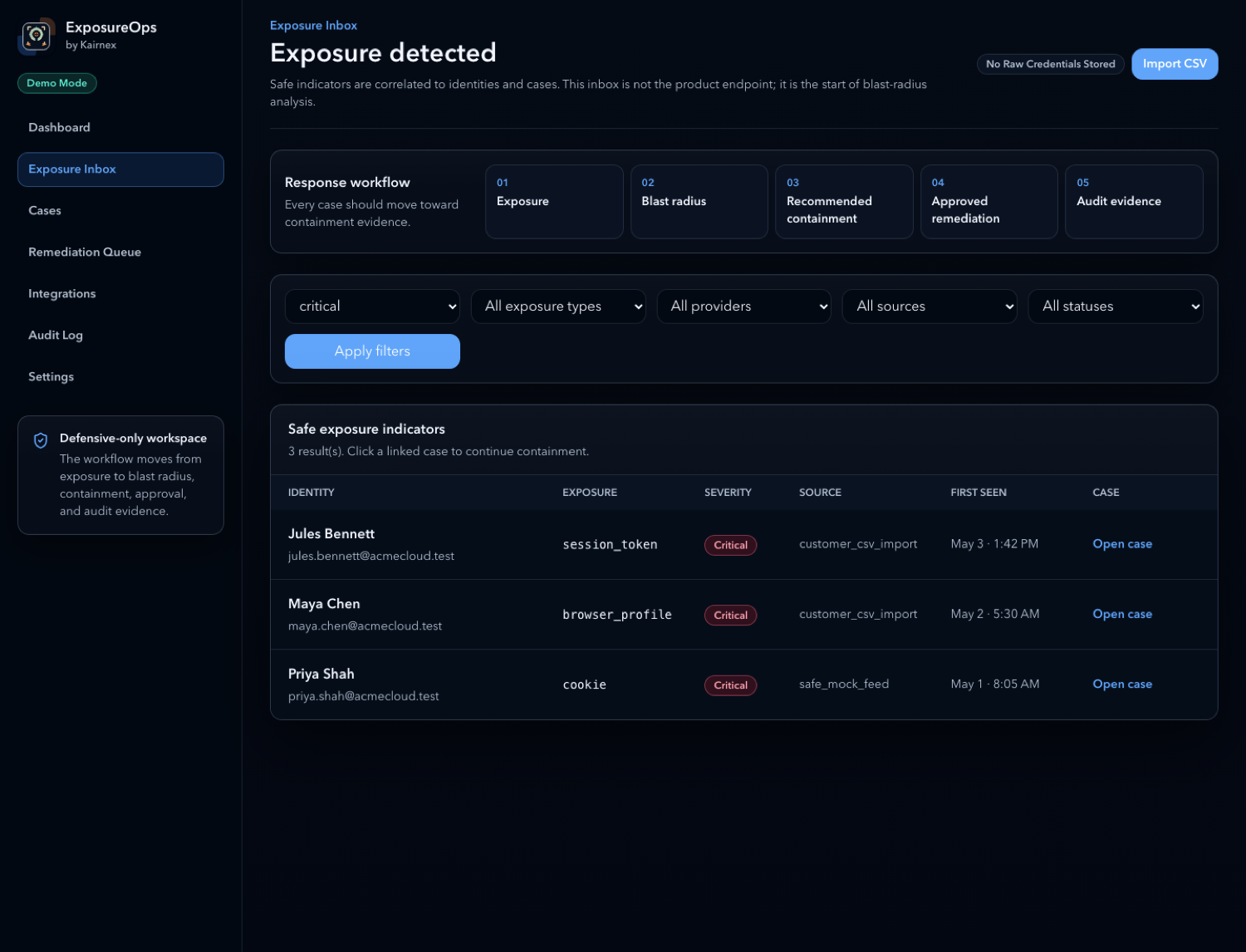
Focus on high-impact identities, severity, first-seen timing, and response status.
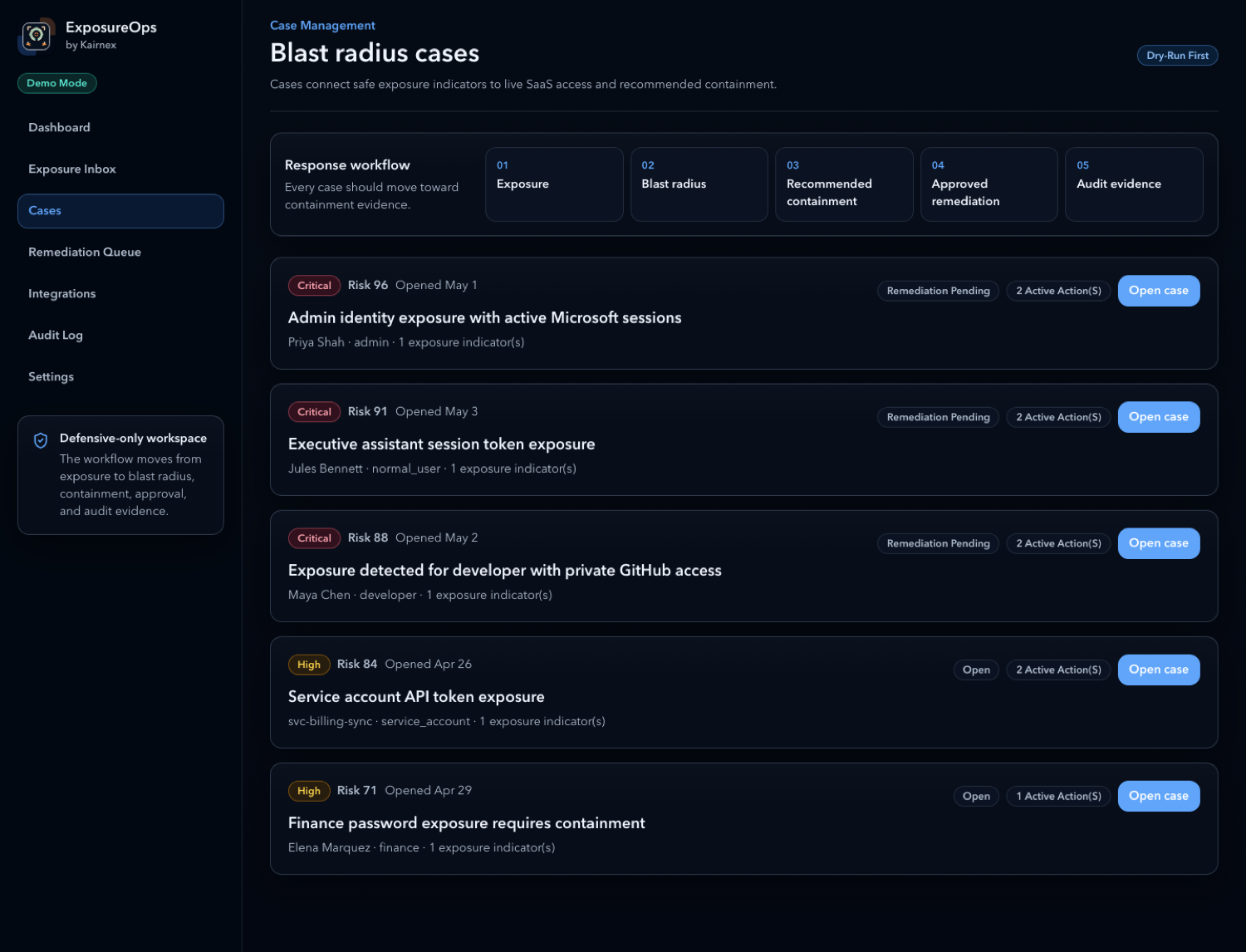
Track investigation state, linked identity, exposure type, and remediation progress.
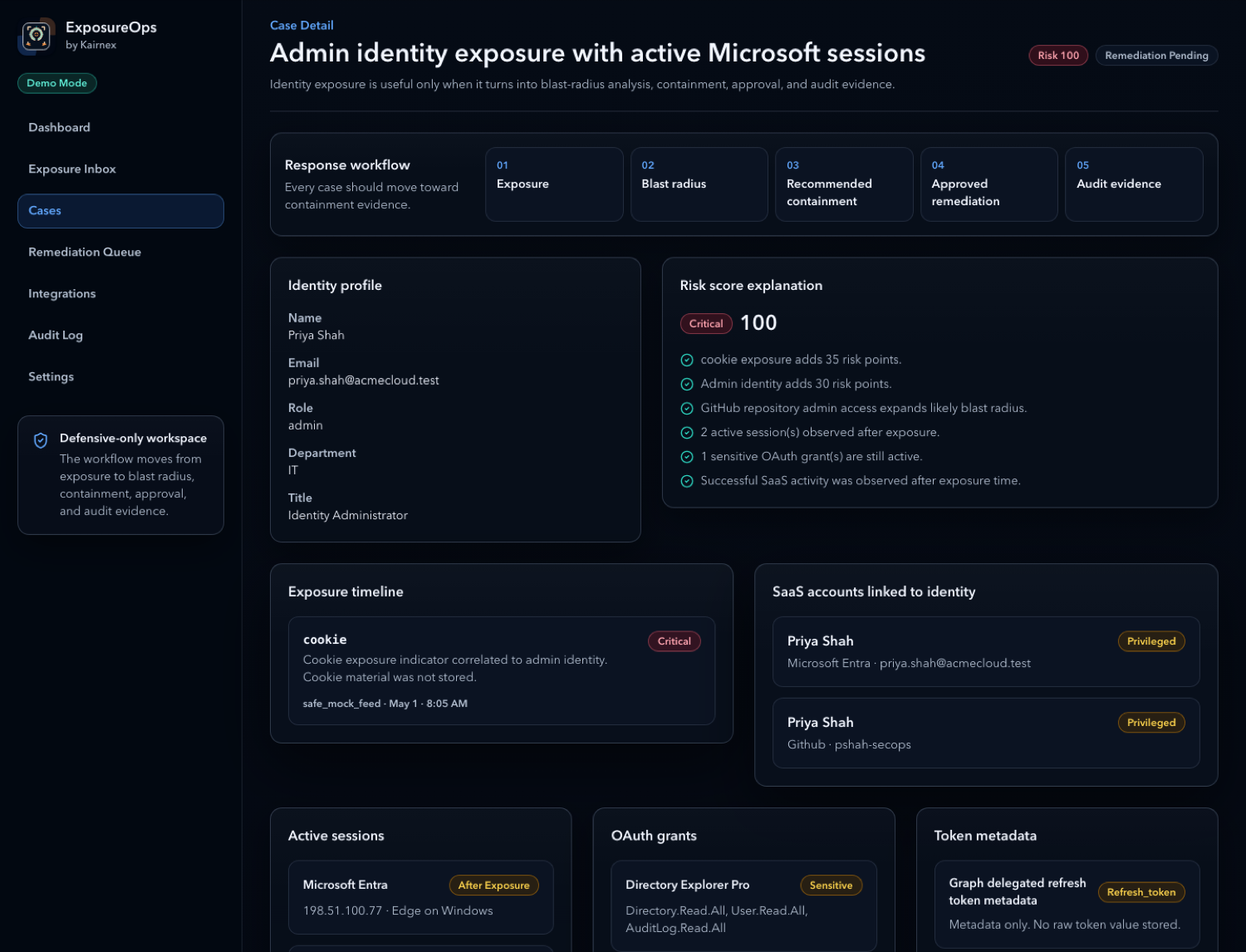
Identity profile, risk explanation, exposure timeline, SaaS accounts, active sessions, OAuth grants, and token metadata.
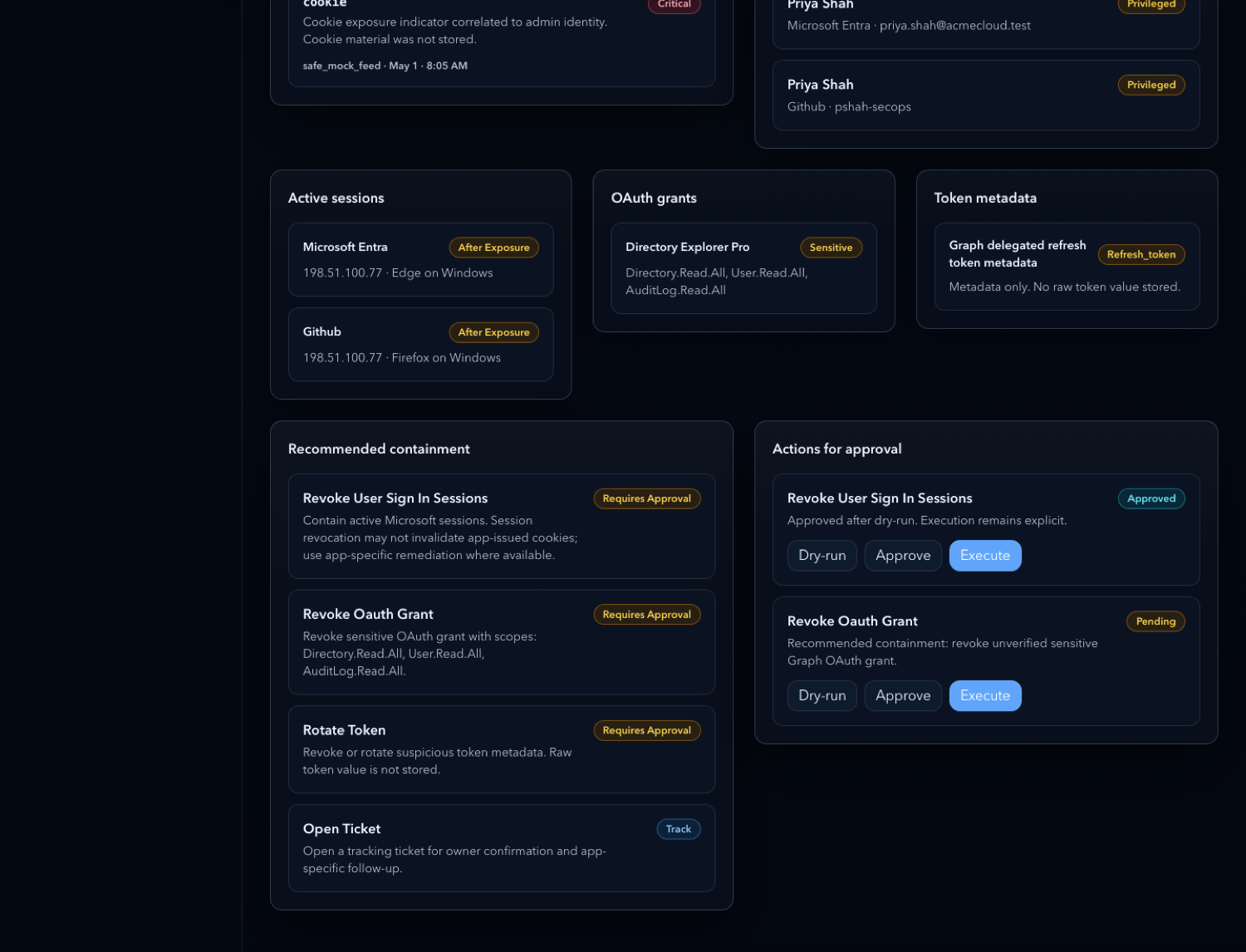
Review recommended containment actions before approval or execution.
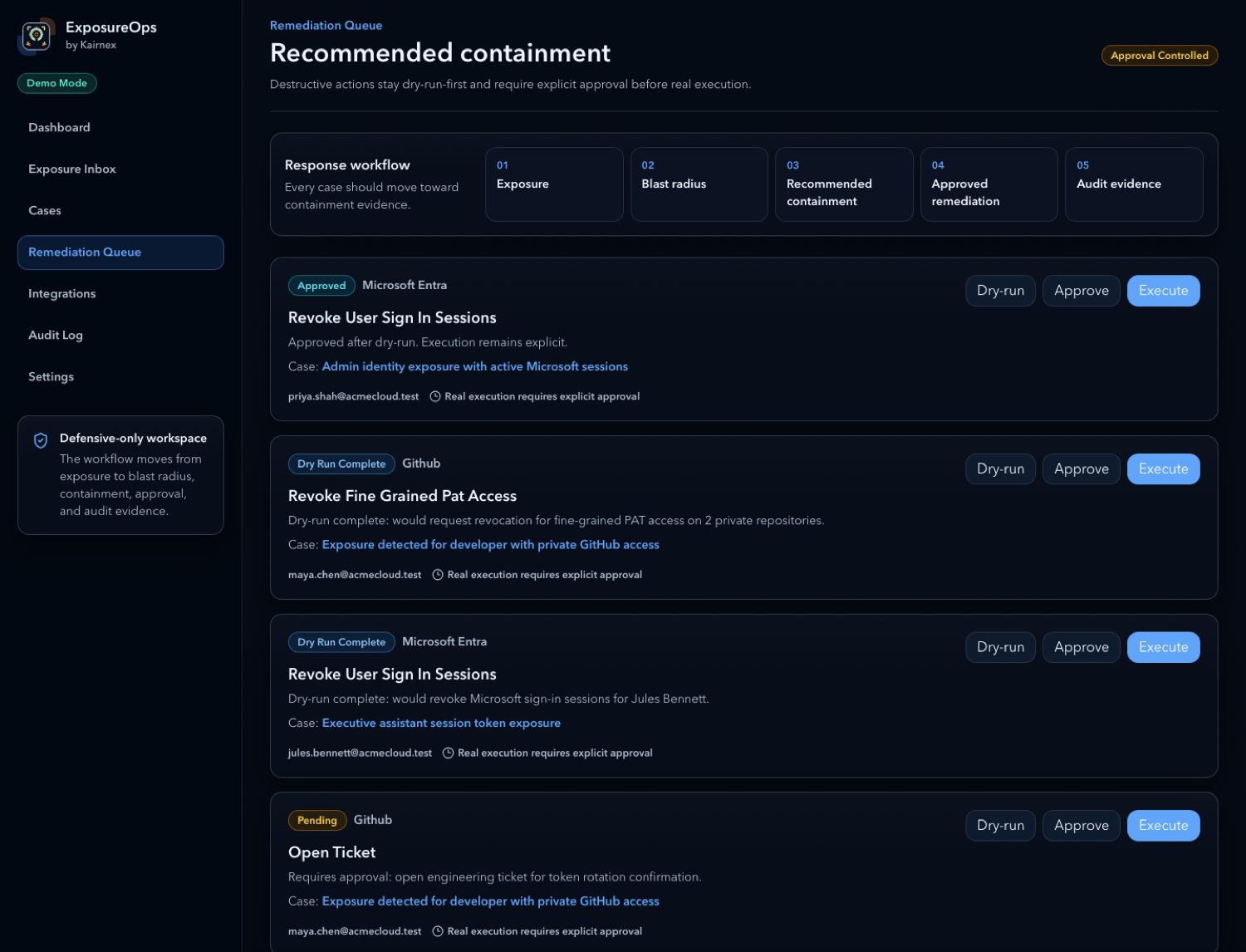
Dry-run, approve, and execute containment actions before changes are applied.
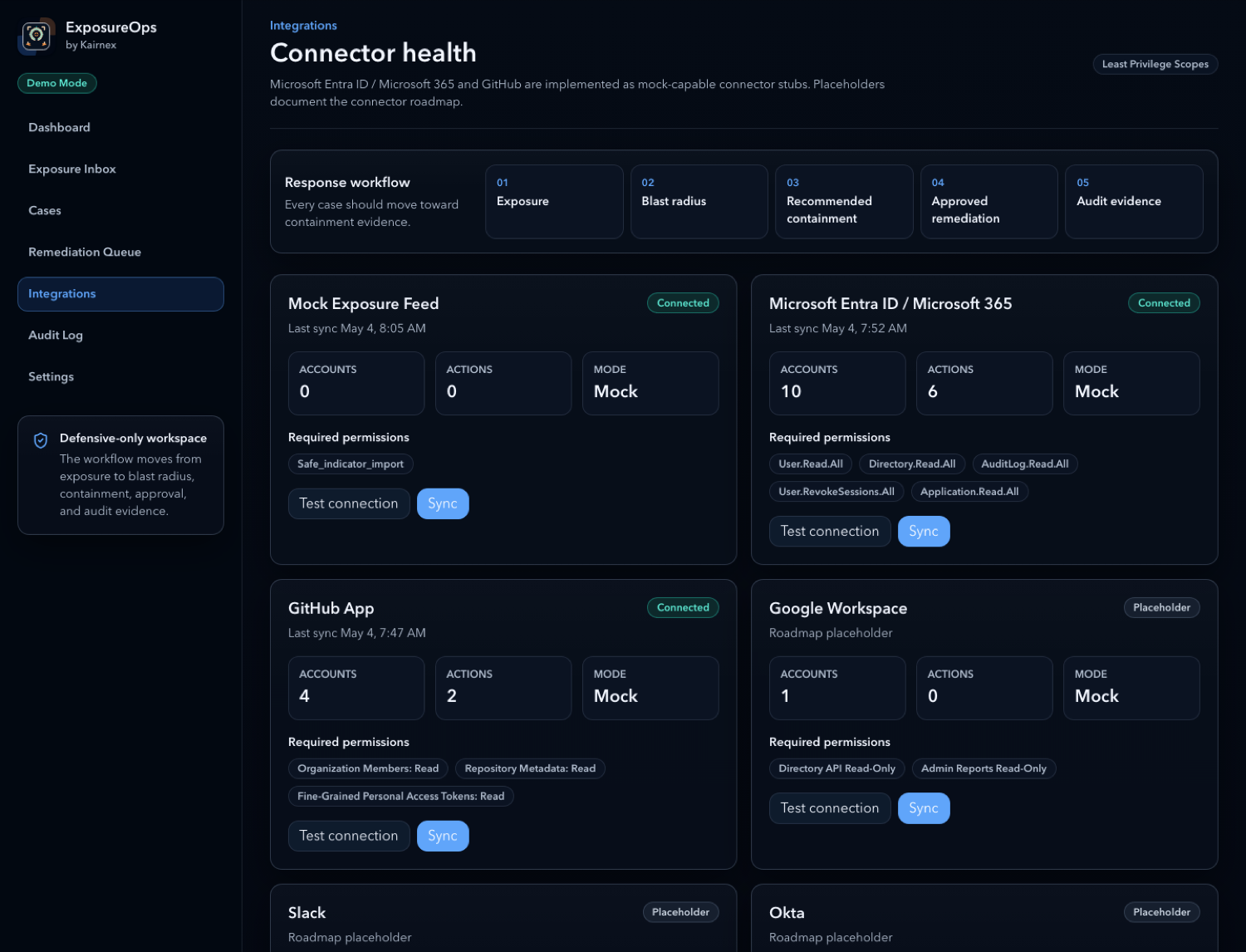
Monitor connector readiness for SaaS systems used during response.
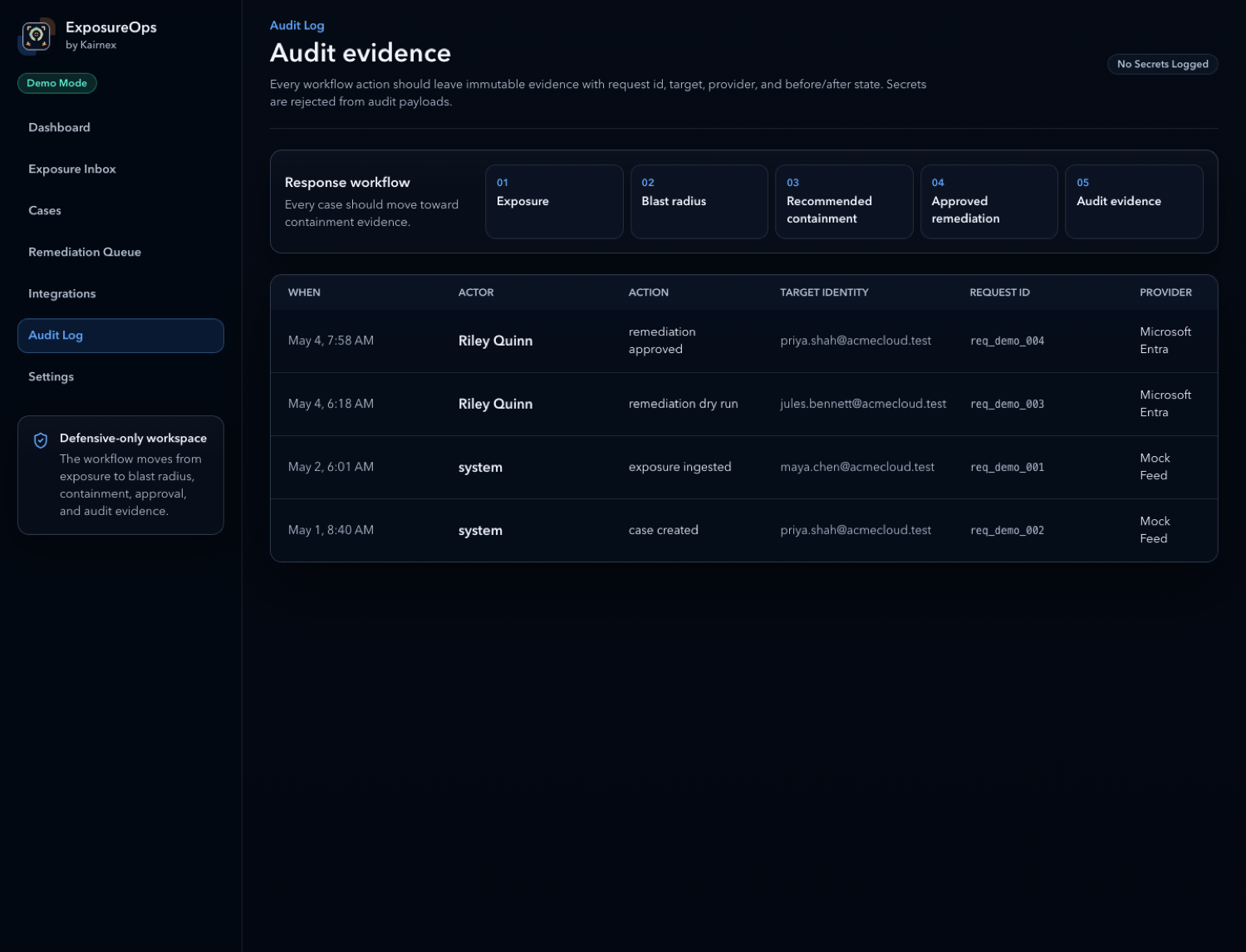
Retain response events, approvals, dry-runs, and containment evidence.
Core capabilities
ExposureOps is designed around safe analysis, dry-run remediation, explicit approval, and action logs, with production controls for protected integration tokens and secrets.
Security boundaries
ExposureOps is built for defensive response workflows and avoids collecting or storing plaintext passwords, stolen cookies, raw session tokens, raw credentials, infostealer logs, or unsafe CSV fields such as password, cookie, token_value, raw_credential, or session_cookie.